Modernizing my Media Importer
- Published on
For several years I've used an old project I wrote to help manage my family's media automatically. I have recently made a switch to using macOS as a daily driver and I can no longer run the old .NET Core Windows Forms project, so it's time to modernize it with Avalonia.
The Context
So I have a NAS running one of my home servers which holds all media, photos, videos, music, films, etc.
One of the first challenges was finding a way for me to get data from devices like our phones onto the server in a convenient way. For this I used NextCloud to provide access to the media storage, with additional access via a VPN.
The next challenge was how to deal with inconsistent names for media files depending on the device. Images and videos store metadata so leveraging this was a top priority for any system of importing. For this, I can leverage the MetadataExtractor NuGet package (GitHub repo here).
So the final solution was to expose a Drop directory with subdirectories for each user/device where photos and videos can just be "dumped" and the media importer can then extract metadata, create new file names based on their date and move them to a newly structured location.
The Code
The code is open source and can be found on GitHub here.
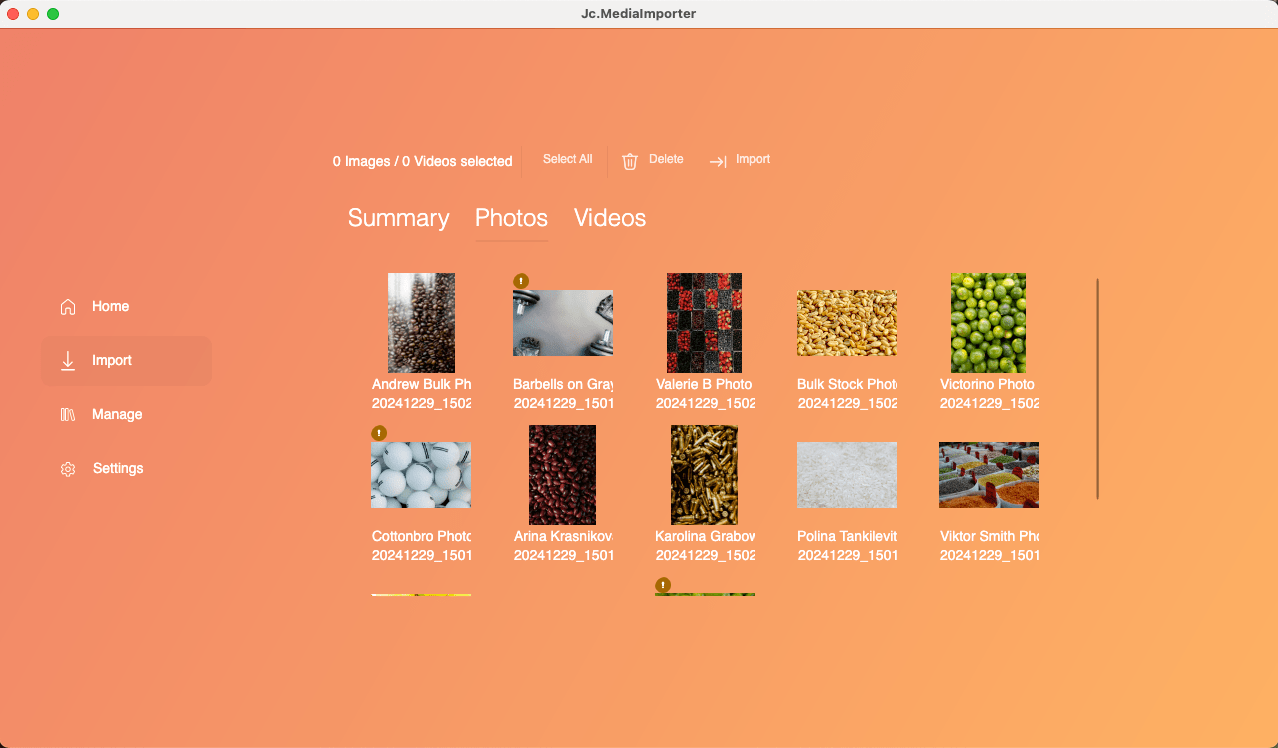
DISCLAIMER: this code was thrown together pertty quickly and your mileage may vary. Make sure you test against your needs if you want to use it.
The Migration Process
Unsurprisingly, the core of the original code was fairly simple and could be immediately ported over to the new project.
What took me by surprise was my thinking historically has always been "use Windows Forms to spin some UI up really quickly", but this project has really shown me that modern application development and MVVM frameworks are far superior as I was able to throw this new version together in less than one morning where it was then ready to use immediately.
Summary
This post covered some of the context and process of migrating a tool I built years back to manage my family media. The new version works cross-platform so I can continue to effortlessly handle importing media from all our devices.